


Endoscope Camera
3.411.00 Reviews
App Specs
- Version
- 8.0.0
- Updated On
- License
- Free
- Downloads
- 100,000+
- Developer
- DTFHM
- Categories
- Libraries & Demo
- Platform
- Android, iOS
Screenshots
 Analysis by AppCompare
I like tools that earn their place by solving a real, occasional problem rather than demanding daily attention. An inspection camera is a good example: it can show what is happening in a gap that is awkward to reach, but only if the phone app makes connecting and looking around straightforward. Endoscope Camera is a free Android app from DTFHM in the libraries-and-demos space, built to work with an endoscope camera. Its appeal is practical, though its lasting value depends less on novelty than on whether you already have a compatible camera and can make use of it more than once.
Why the first session feels useful
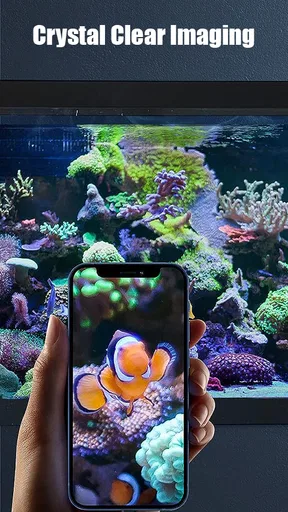
The first time you point an endoscope into a hidden space, the live view can feel almost like discovering a new sense. A phone screen gives you a way to inspect places your eyes and a flashlight cannot easily reach, and the app keeps that central task easy to understand. It has an average rating of 3.4 from around 300 ratings, with over 100,000 installs; that suggests a real audience, but not a reason to assume every camera-and-phone combination will behave the same way.
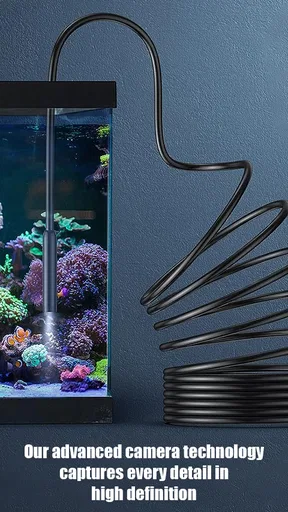
The key distinction is that this is a companion app, not an inspection camera by itself. You need compatible endoscope hardware, and the camera is what determines where you can reach and what the image looks like. Before installing, I would check the camera’s connection instructions and confirm that they match the phone you intend to use. That small bit of preparation can prevent the frustrating experience of opening an app and having no picture to inspect.
Getting Started with the Endoscope Camera
First things first, you’ll need an actual endoscope device that connects to your phone. Most of these gadgets come with a USB or Wi-Fi connection, and the Endoscope Camera app is designed to work seamlessly with them. Setting it up is surprisingly easy. Just download the app from your app store, make sure your endoscope is charged, and connect it to your phone. The app will typically auto-detect the device, and you’re good to go!
User Interface and Experience
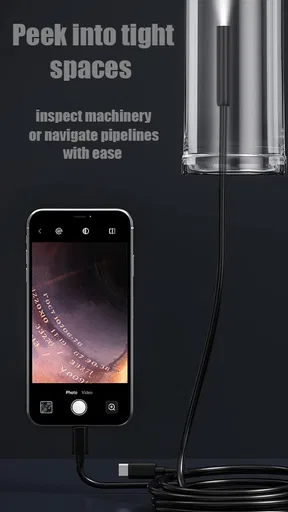
Now, let's talk about the interface. The Endoscope Camera app keeps things simple with a clean, intuitive design. Upon opening the app, you’re greeted with a live feed from your connected camera. The controls are straightforward: you can adjust the resolution, take pictures, and even record videos directly from the app. I was pleasantly surprised by how user-friendly it is, especially for those of us who aren't exactly tech-savvy.
One feature I found particularly useful is the ability to zoom in on specific areas. This comes in handy when you’re trying to get a closer look at something small or hard to see. The app also supports rotation, so you can flip the image to get the best angle possible. It’s the little things like this that make using the app a breeze.
Making an inspection less frustrating
For a useful first test, I would start with a familiar, low-stakes spot rather than pushing the camera into a complicated space. Under a sink is a good example: move the probe slowly, keep the phone where you can see it, and use rotation to orient the view before deciding what you are looking at. The picture can turn as the flexible camera turns, so a moment spent matching the screen to the probe’s direction is often more valuable than repeatedly waving the camera around.
Worth Reading Before You Choose

EA SPORTS FC Mobile 26 Is a Bigger Football Game, but It Takes Time

Flipboard Shows What News Apps Must Do Beyond the Feed

Switching to Android Auto Means Rethinking Your Driving Routine

Google Calendar Makes a Crowded Week Easier to Manage

Ludo King Makes the Most of the Minutes Between Plans

Baby Panda World Brings Quick Play to Modern Phones, but Its Game Library Feels Busy
Zoom is most helpful after you have found the area of interest, not as a substitute for getting the lens closer. Digital enlargement can make a small detail easier to inspect, but it cannot create detail the camera did not capture. I would first steady the probe and adjust its angle, then zoom only if the target remains hard to distinguish. That workflow reduces the temptation to mistake a blurry enlarged patch for a clear diagnosis.
Performance and Connectivity
Performance-wise, the app is solid. The live feed is smooth, with minimal lag, which is crucial when you’re peering into tight spaces. I tested it out by inspecting some pipes under the kitchen sink, and the image quality was impressive. The app supports HD resolution, so you won’t miss any details.
Connectivity is another major plus. The app supports a variety of connection methods, including USB, Wi-Fi, and even Bluetooth for compatible devices. This flexibility means you can use it with a wide range of endoscope models, which is great if you already own one. I didn’t experience any connectivity issues, which is always a relief when dealing with tech gadgets.
A useful routine for occasional jobs
The app makes the most sense as a tool you open with a specific question in mind. For instance, if something disappears behind a cabinet or you want a closer look at a hard-to-reach area, connect the camera, capture a picture or short video if you need to remember what you saw, and review it after pulling the probe back out. A saved image can be easier to compare with a later inspection than a memory of a live view that disappeared as soon as you moved the camera.
For a minor household check, I would treat the camera as a way to gather clues, not as proof that a repair is safe or complete. A view of a pipe can help locate a visible issue, but it cannot establish the condition of every hidden section or replace a qualified inspection when the consequences matter. The practical benefit is often knowing where to look next or what to show a repair professional, rather than deciding that a complex problem has been solved.
There is a similar advantage for hobby use. A close-up view of a plant, an object, or a small space can be interesting, but the camera’s position and lighting still govern what appears on screen. If a first angle is unhelpful, repositioning the probe usually beats spending a long time adjusting the phone. I would also keep the lens and cable within the limits recommended for the hardware; an app cannot protect an unsuitable camera from a setting it was not built for.
Practical Applications
So, what can you actually do with the Endoscope Camera? Well, the possibilities are practically endless. For DIY enthusiasts, it’s a lifesaver for home inspections. Whether you’re checking for leaks, diagnosing car issues, or even looking inside walls, this app can be your best friend. It’s also a fantastic tool for hobbyists. Photographers can use it for unique close-up shots, while nature lovers might explore the nooks and crannies of the great outdoors.
One of the most interesting uses I found was in education. Teachers and students can use it for science experiments, like examining plant life or observing insect behavior, adding a whole new dimension to learning. The app even supports screen sharing, so you can project your findings to a larger audience, making it ideal for group settings.
Where it fits among alternatives
Compared with the usual alternatives, this setup sits between using your eyes and a flashlight on one side and hiring specialist inspection equipment or a professional on the other. A flashlight is faster for an open, visible area; it is also simpler when you do not need to record anything. An endoscope can be more revealing when access is narrow, but it asks you to manage a probe, a connection, and a live image. For serious vehicle or building diagnostics, dedicated equipment and trained interpretation may be the better choice.
It also differs from a general camera app: the value is not a richer set of photo tools, but the ability to display a feed from an endoscope and make the view usable while the probe is being moved. If you already own compatible hardware, that focused role can be enough. If you are considering buying a camera solely because the app sounds intriguing, think first about the jobs you expect to do. The novelty wears off quickly unless at least one recurring task justifies keeping the hardware accessible.
Month-to-month value and upkeep
Over time, I would judge the app by how often it saves a needless disassembly or helps answer a concrete question. A homeowner who occasionally checks awkward corners may find that worthwhile even if sessions are weeks apart. Someone without an endoscope, or someone whose inspection needs are already handled by a flashlight and a mirror, may have little reason to return after the first experiment.
The routine is modest but real: keep the camera charged when its design requires it, know where its cable and accessories are, and check the connection before a time-sensitive inspection. It is also sensible to clean and store the camera according to its own instructions rather than treating it like a phone accessory that can be tossed in a drawer. These habits are not app features, but they determine whether the app is ready when an unexpected inspection comes up.
One practical tip is to test the full setup before using it in a cramped or inconvenient location. Confirm that the feed appears, learn how the image rotation feels, and try capturing a still image while the camera is somewhere easy to reach. That rehearsal helps separate an app or connection problem from the natural difficulty of steering a flexible probe once it is out of sight.
What can wear thin
The main friction is the dependency on external hardware and compatibility. An app download alone does not provide an inspection view, and a camera that uses a connection method or setup the phone cannot work with will not become useful through persistence. This is why checking the endoscope maker’s instructions matters more than assuming that a broad connection list guarantees a fit for every device.
Live viewing also demands patience. A probe can be hard to steer precisely, the screen may show an unfamiliar orientation, and an image that looks clear enough to explore may not be detailed enough to identify a small defect confidently. I would not choose this workflow for a task where a mistaken reading could cause damage or risk; use it to look, document, and decide what needs a closer or professional check.
There can be a social trade-off, too. Screen sharing can make a classroom demonstration or a collaborative look more useful, but a group view does not make the camera easier to maneuver. One person should steer while another watches and describes the area, rather than having everyone offer simultaneous directions. That simple division makes the feature more practical and reduces needless movement of the probe.
Who should keep it installed
I would recommend trying it to someone who already has an endoscope camera and wants a straightforward way to view what it sees, especially for occasional home projects, hobby exploration, or demonstrations. The app is free, carries an Everyone age rating, and its current version is 7.0; it is listed for Android 11 and newer. Those details make it easy to consider, but the decisive question remains whether your camera and phone work together.
I would skip it if you expect the app itself to inspect a room, diagnose a leak automatically, or replace a camera purchase. It is also not my first pick for people who need professional-grade evidence, extensive image analysis, or a dependable inspection process for safety-critical work. In those cases, the right tool is a purpose-built system or a professional, not an app whose job is to show a connected camera feed.
Conclusion
All in all, the Endoscope Camera app is a fantastic addition to your smartphone toolkit. It’s easy to use, performs well, and offers a range of applications that cater to both practical and creative needs. Whether you’re a DIY enthusiast, a tech geek, or just someone curious about the world around you, this app is well worth a try. So go ahead, unleash your inner explorer and give the Endoscope Camera a spin. You might just be amazed at what you discover!
My longer-term verdict is more measured: its lasting value comes from having the right camera ready and a recurring reason to inspect places ordinary phone photography cannot reach. DTFHM’s app is a simple companion for that job rather than a complete inspection solution. If you approach it as a way to see and record clues, and not as a substitute for sound judgment, it can remain useful after the first-week curiosity fades.
Pros
- Easy to connect and use with most devices.
- High-quality video and image capture.
- Flexible cable for hard-to-reach areas.
- Compatible with multiple camera apps.
- Waterproof design for diverse environments.
Cons
- Requires specific OS version for compatibility.
- Limited battery life during extended use.
- Some features need in-app purchases.
- Occasional connectivity issues reported.
- Not all accessories are included in the package.
FAQs for Endoscope Camera
What is the Endoscope Camera app used for?
The Endoscope Camera app is designed to connect your smartphone to an external endoscope or borescope camera. It allows users to view live video, capture images, and record footage directly from the camera. This is particularly useful for inspecting hard-to-reach areas, such as pipes, engines, or behind walls.
Is the Endoscope Camera app compatible with all smartphones?
Compatibility depends on your smartphone's operating system and hardware capabilities. Most apps require Android 4.4 or later or iOS 9.0 and above. Additionally, USB OTG support is essential for Android devices to connect the camera. Always check the app specifications and your phone's capabilities before downloading.
Do I need any additional hardware to use the Endoscope Camera app?
Yes, you need a compatible endoscope or borescope camera. These devices typically connect via USB or Wi-Fi. Some may require an OTG adapter for Android devices. Ensure your endoscope is compatible with your smartphone's operating system and has the necessary connection type.
How is the image quality on the Endoscope Camera app?
Image quality varies based on the camera's specifications. Most endoscopes offer resolutions ranging from 720p to 1080p. The app itself usually supports these resolutions, but the clarity and detail will depend on the camera's lens quality and lighting conditions in the inspection area.
Is the Endoscope Camera app safe and secure to use?
Generally, the app is safe as long as you download it from official app stores like Google Play or the Apple App Store. However, always review the app permissions and user reviews to ensure there are no security concerns. Avoid apps requesting unnecessary access to personal data.


